Open an existing Employee of the Month slide and change any field. Edits replace the saved values; the original is not retained.
Step 1 — Open the Employee of the Month list
Navigate to Templates → Employee of the Month → My Slides. The row's right-most icons are preview, edit, toggle, and delete.
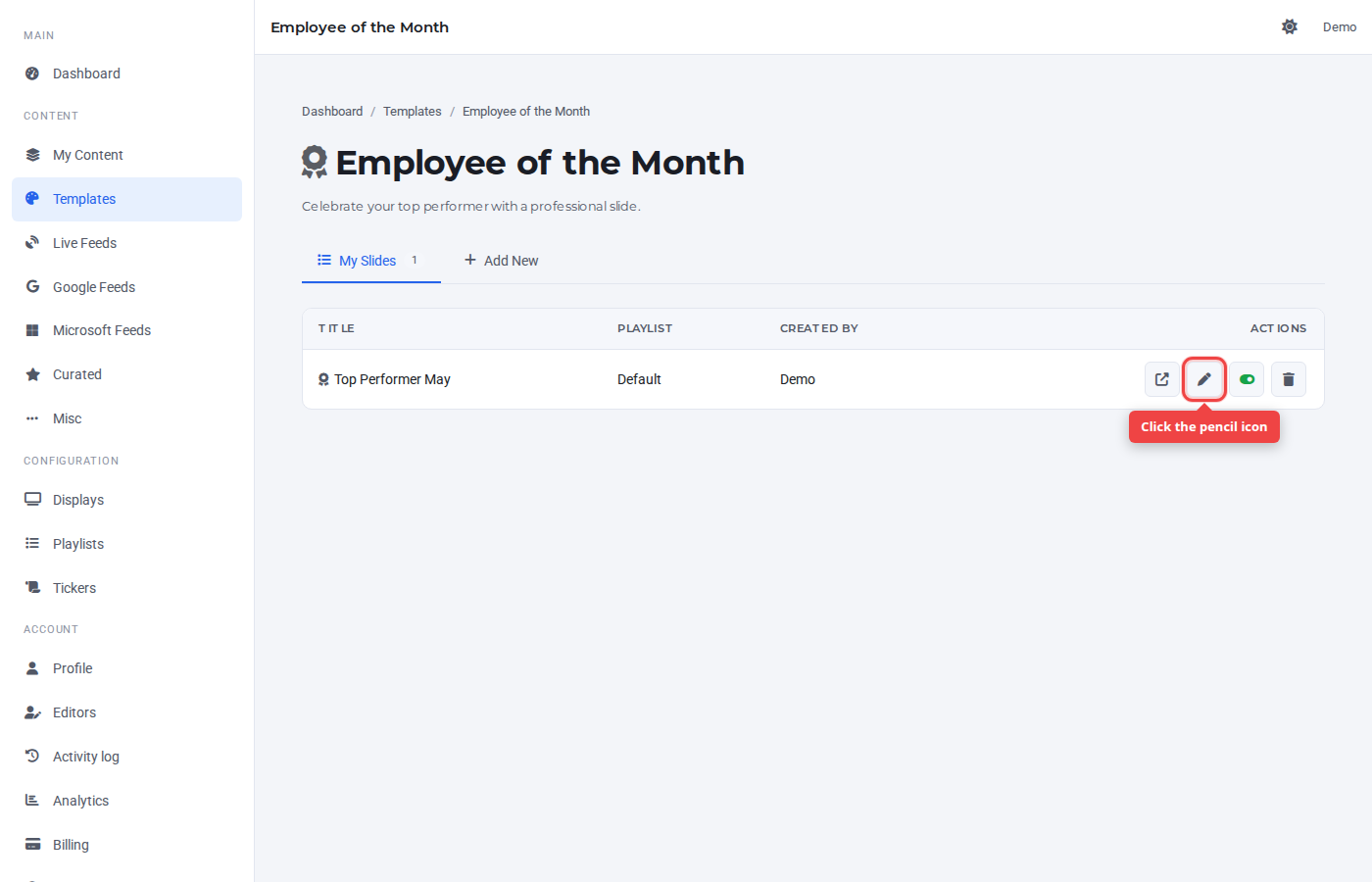
Step 2 — Click the pencil icon
The form opens with the row's saved values pre-filled. The view switches to the Add New tab — it doubles as the edit form.
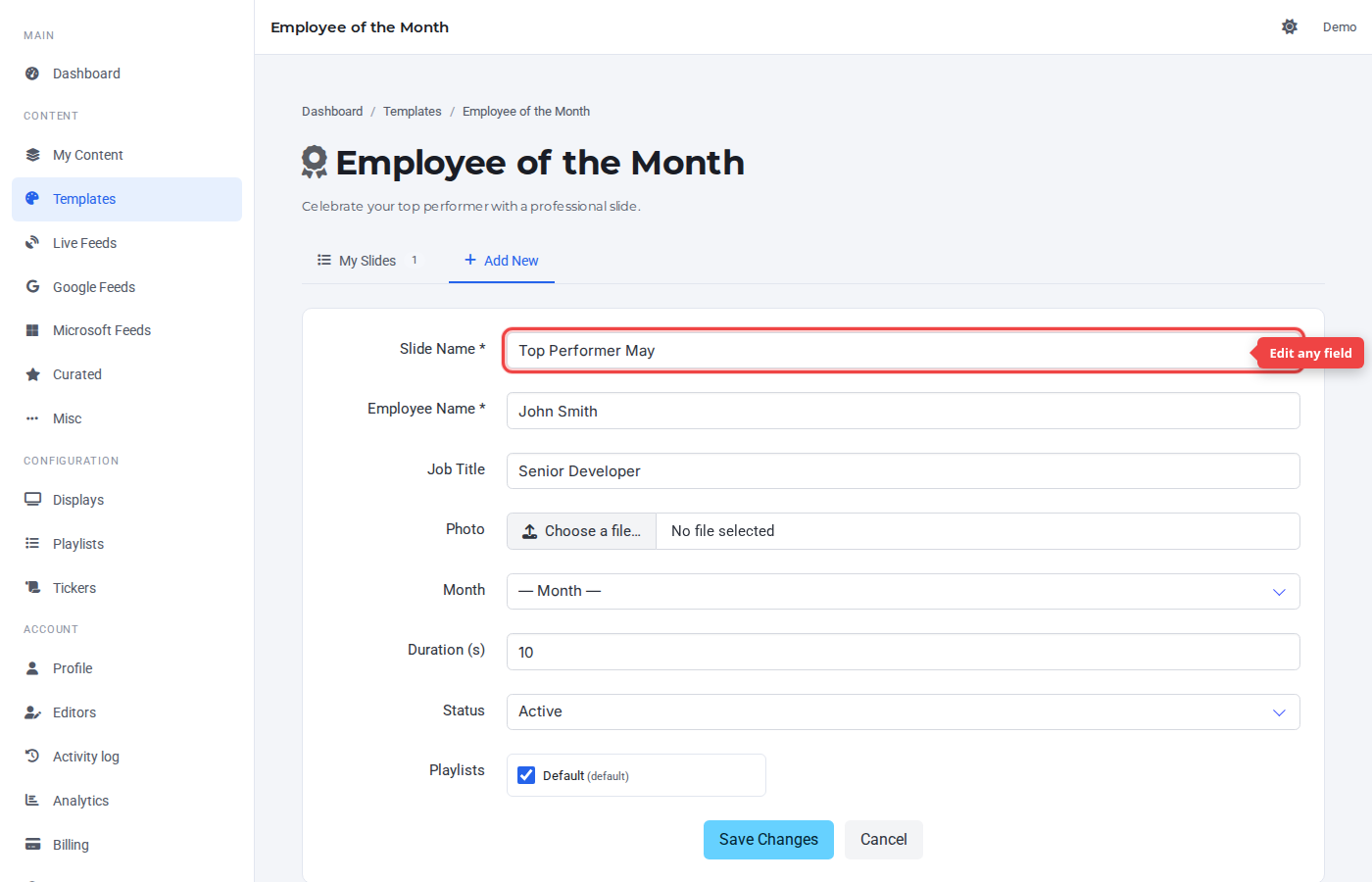
Step 3 — Change a value and click Save Changes
Change any field. The submit button label switches to Save Changes while editing.

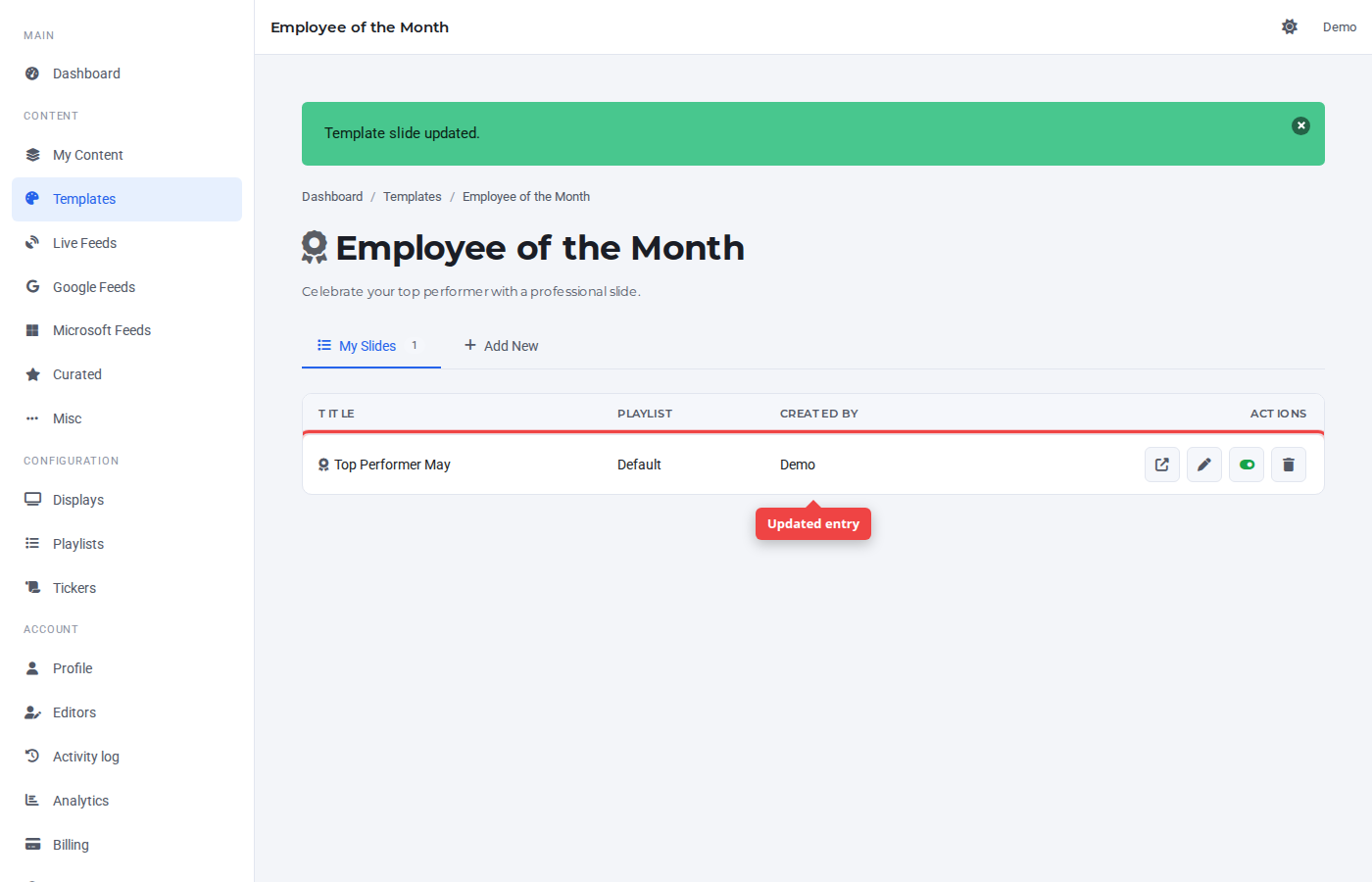
Step 4 — Confirm in My Slides
The row reflects the updated values immediately. The slide picks up the change on the next playback cycle on any TV running it.
Was this article helpful? If you need more help, open a support ticket.
Sign in to open a ticket