Connect a Google Docs source to your library. The doc is added to your default playlist and starts playing on the next playback cycle.
Step 1 — Open Google Docs
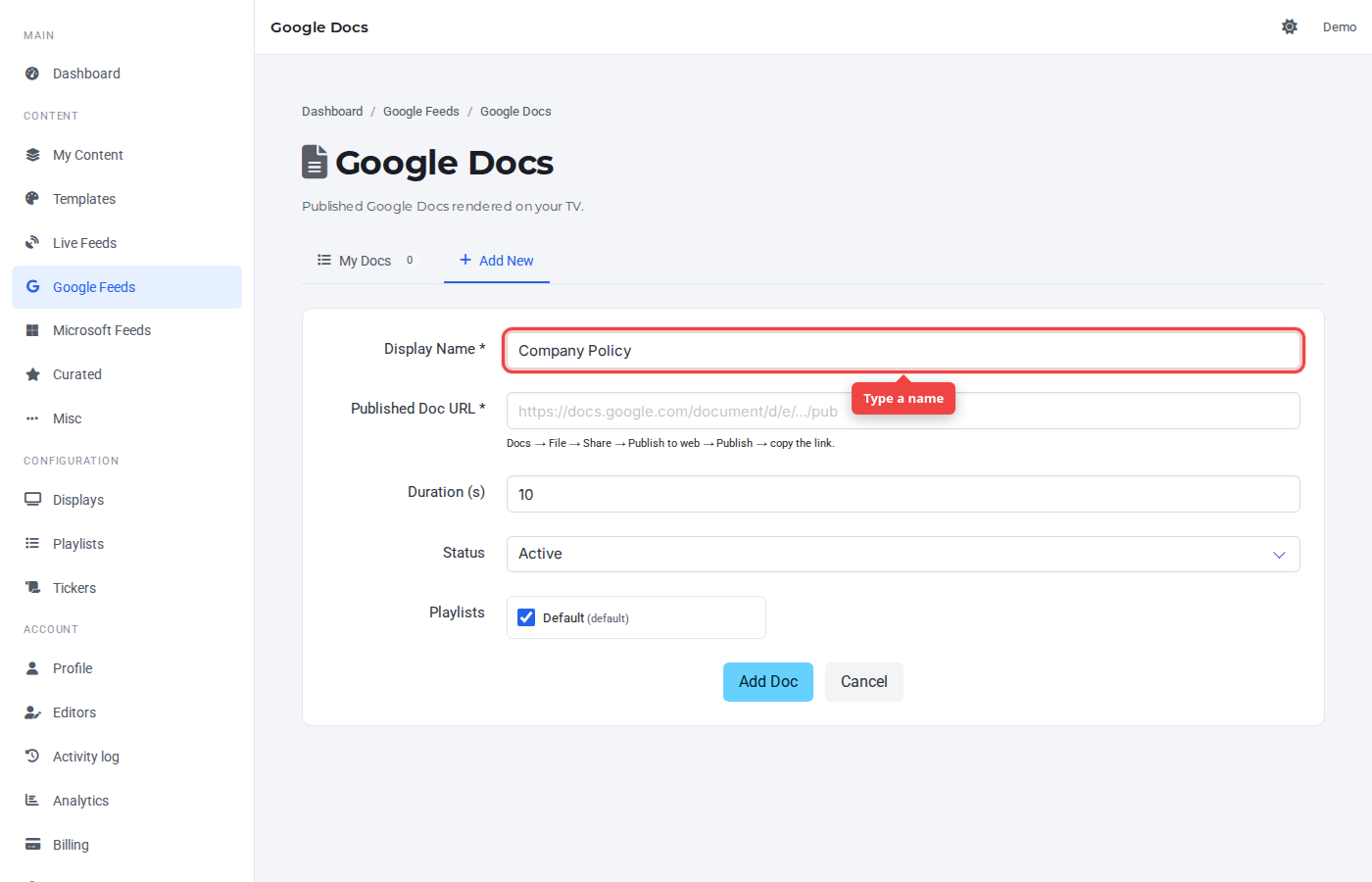
Navigate to Google Feeds → Google Docs. Click the Add New tab. Type a display name in the first field — this label appears in the Control Panel and on the row.
Step 2 — Paste the source
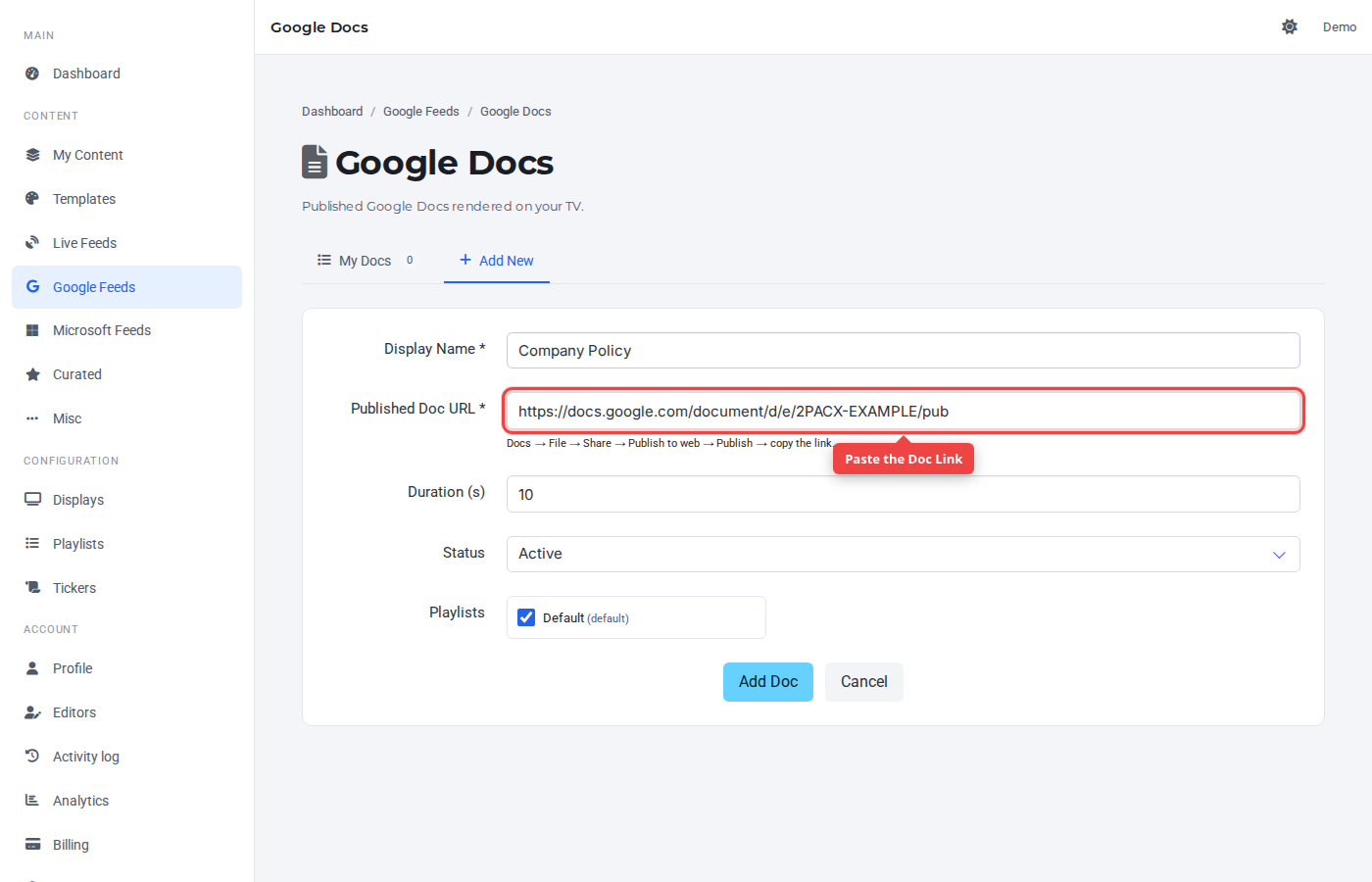
Paste the publish URL from File → Share → Publish to web.
Step 3 — Click Add Doc
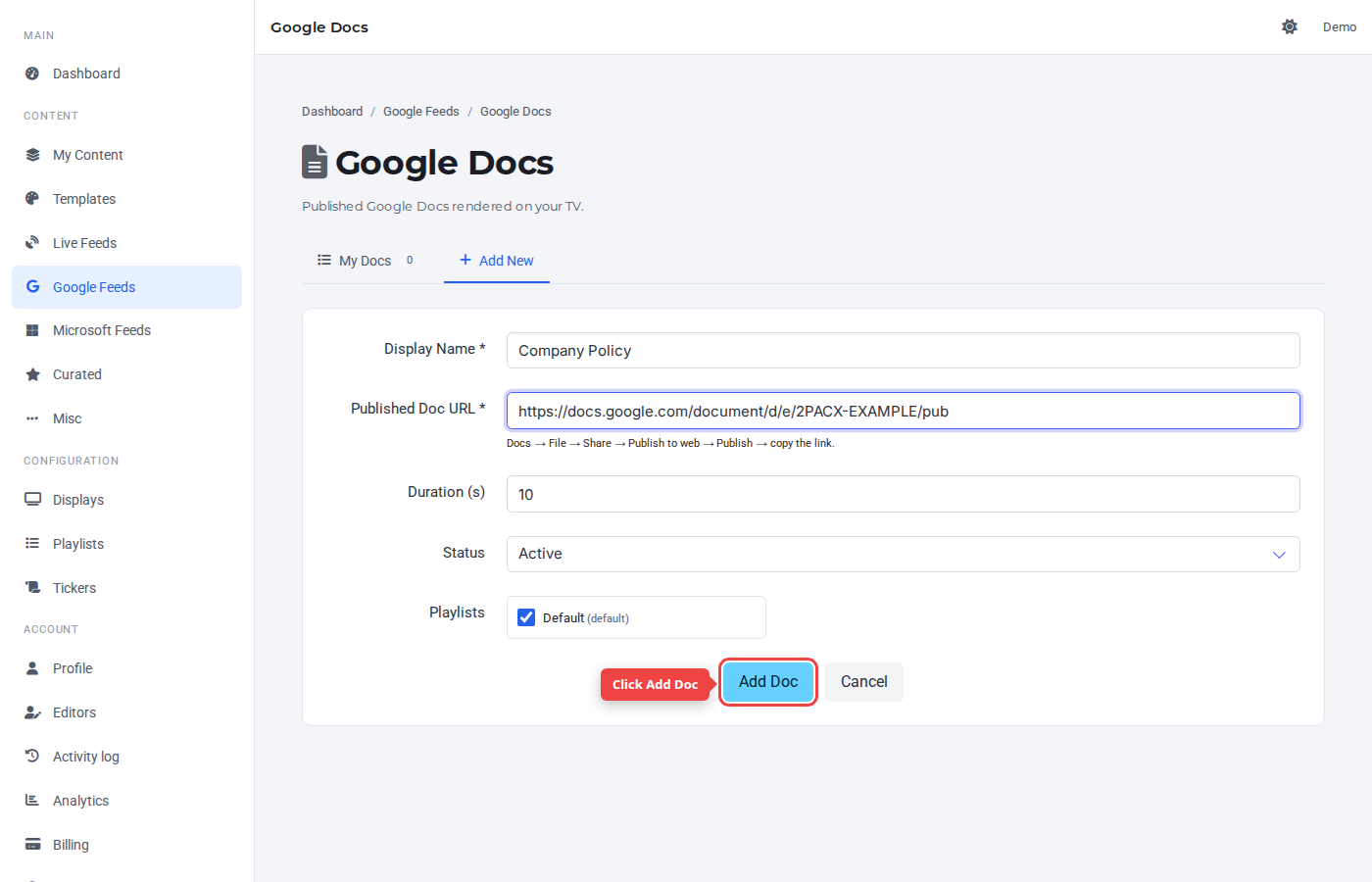
The default duration of 10 seconds works for most cases. Leave Status on Active so the doc plays right away.
Step 4 — Confirm in My Docs
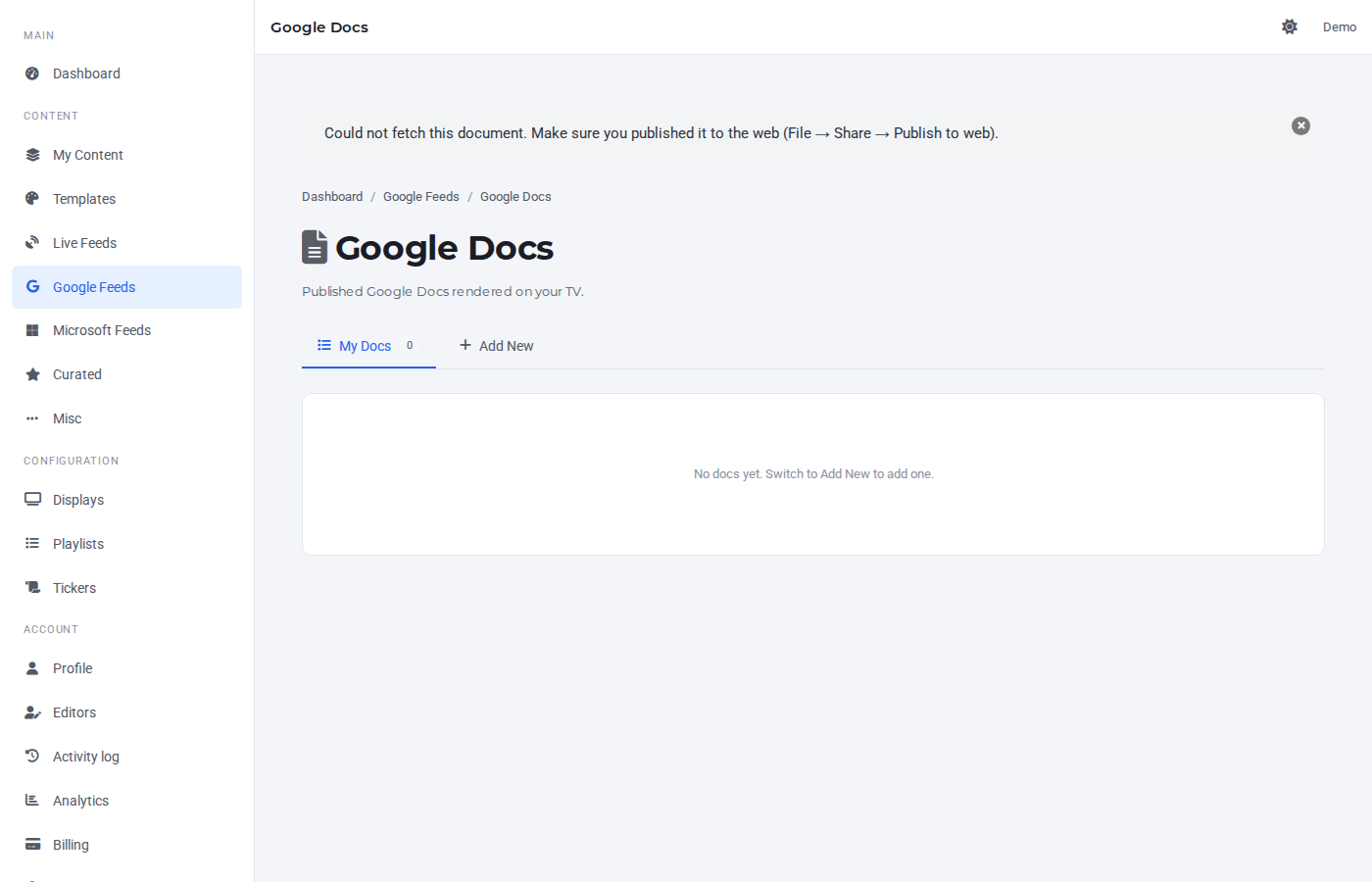
The new entry appears in the My Docs tab. The right-most controls are preview, edit, active toggle, and delete.
Was this article helpful? If you need more help, open a support ticket.
Sign in to open a ticket